For indoor cyclists · Android
Shift gears from your phone.
GearPad turns your phone into a Bluetooth keyboard for MyWhoosh, Biketerra and any game with keyboard shortcuts. Pair in a minute, nothing to install on your computer.
 Become a tester
Android testing before launch · Pro is a one-time unlock, no subscription
- Bluetooth keyboard
- MyWhoosh
- Biketerra
- No dongle, no drivers
- Mac and Windows
- Hold to press
- Icons and colors
- Any key + modifiers
- Layouts for any game
- One-time Pro
Instant connection
No dongle. No companion app. Just pair and ride.
Your computer already knows how to talk to a Bluetooth keyboard, and that's what GearPad is. Pair it once: from then on it reconnects by itself, ride after ride.
- 1
Allow Bluetooth
GearPad asks once for the Nearby devices permission.
- 2
Pair with your computer
Mac: System Settings › Bluetooth. Windows: Settings › Bluetooth & devices. Choose your phone, confirm the code.
- 3
Open your game and ride
Keep the game window in front: GearPad's keys go to the active window.
Setup takes about a minute. Works with Mac and Windows.
GearPad Pro
Every button, exactly where your thumb wants it.
Change what each button sends, how it looks and where it sits. Build a layout for every game you ride.
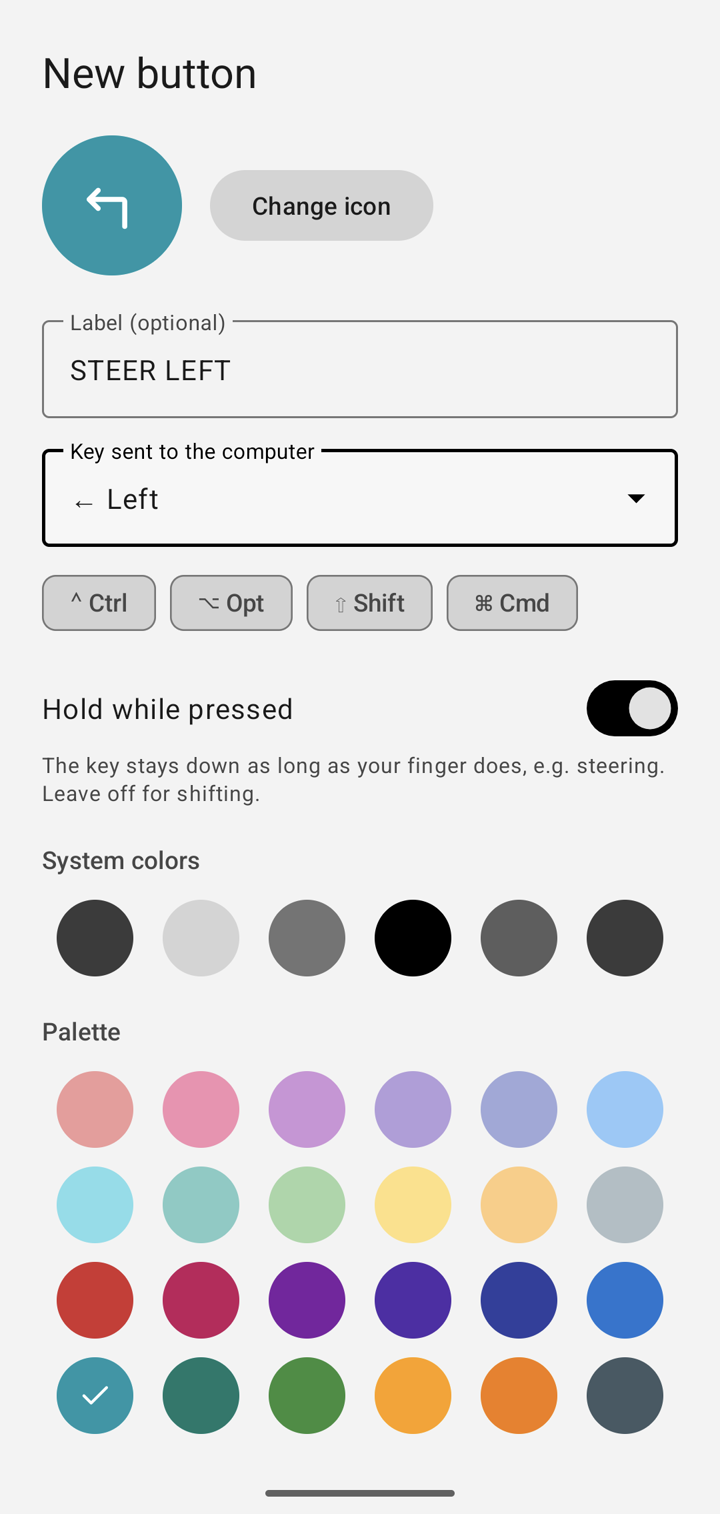
Any key, any combo
Letters, arrows, F-keys and more, with ⌘ ⌥ ⌃ ⇧ modifiers.
Hold while pressed
The key stays down as long as your finger does. Made for steering and looking back.
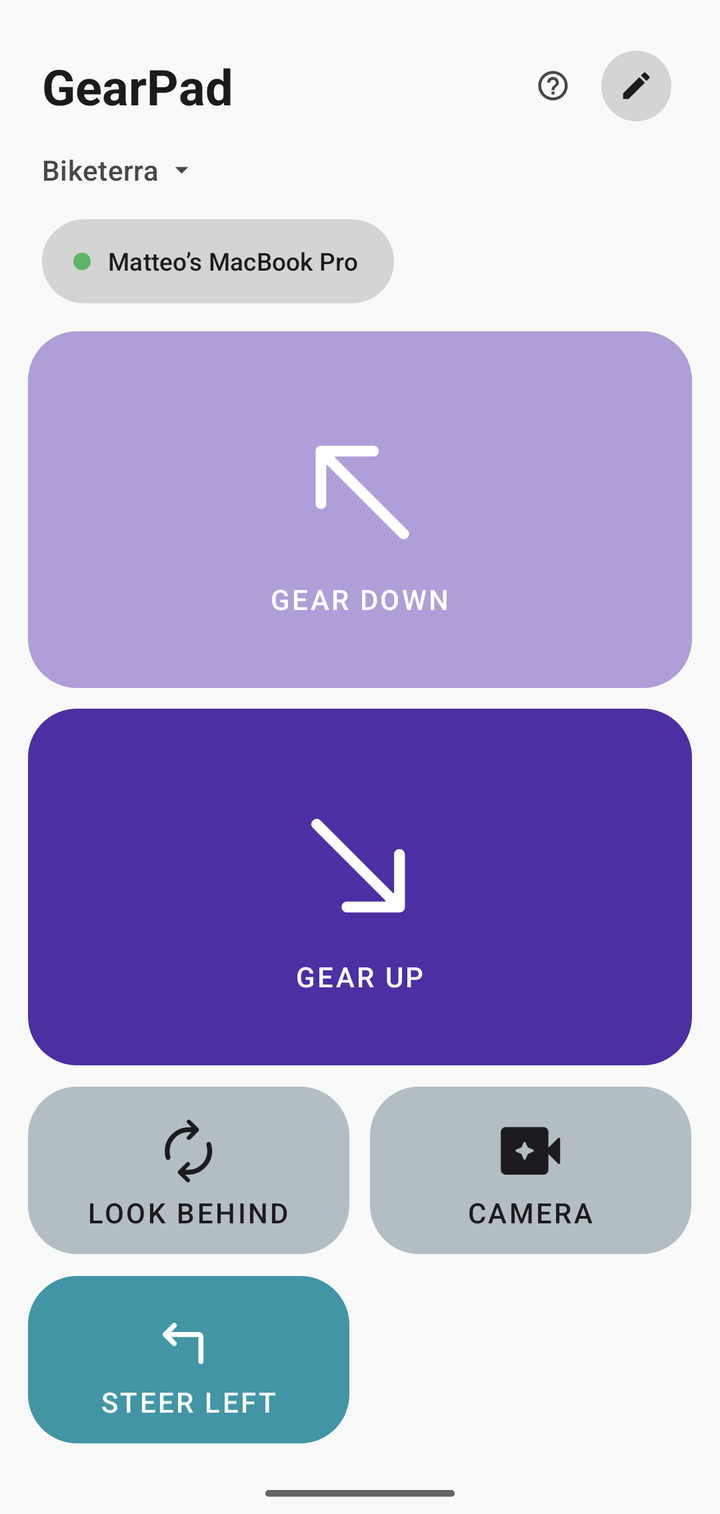
Your icons, your colors
Thousands of icons, your own labels, a color for every action.
Move and resize
Drag buttons around the grid and make the ones you hit mid-sprint bigger.
A layout for every game
Edit the built-in layouts or build new ones for any game or app.
One-time purchase on Google Play. No subscription.
Ready to ride
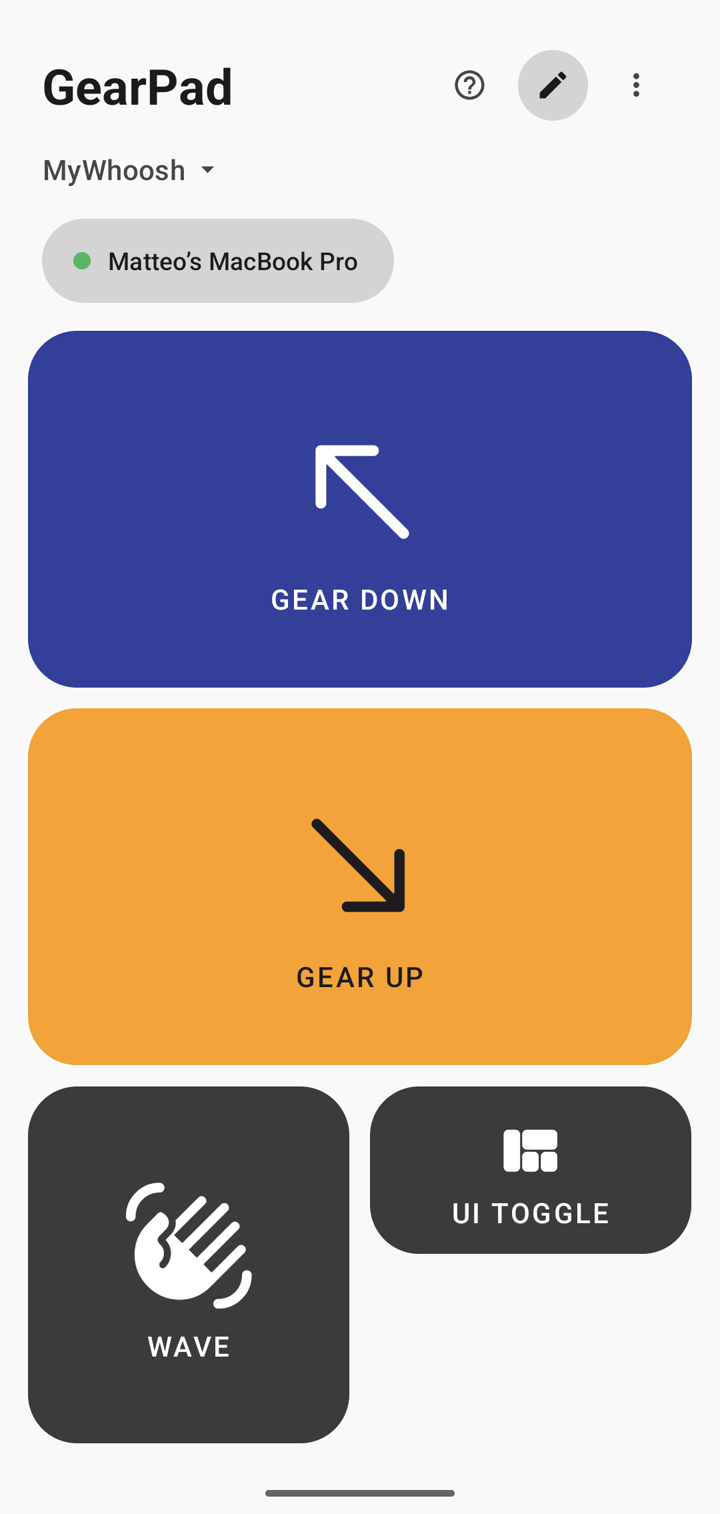
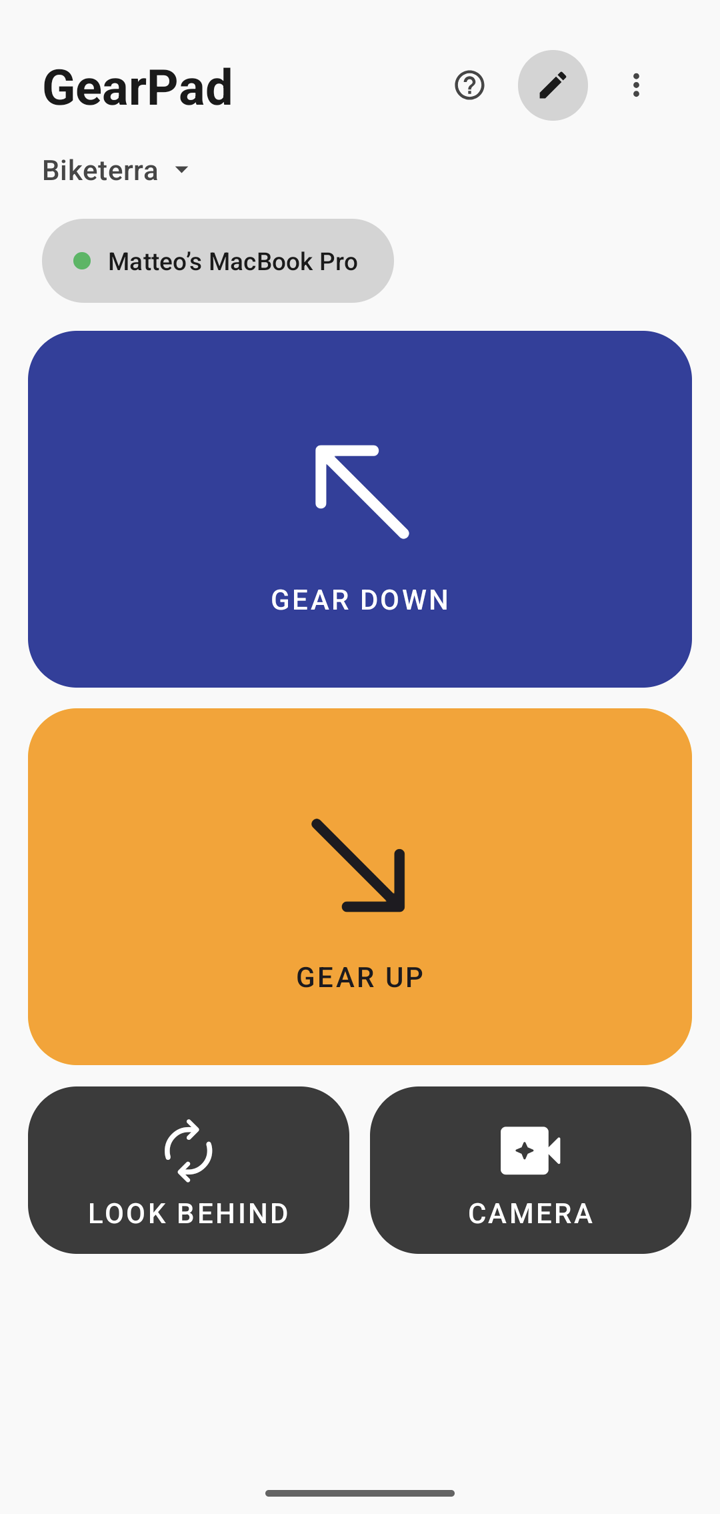
MyWhoosh and Biketerra layouts, built in.
The free layouts use each game's default keys. Open GearPad, pick your game, start pedaling.
MyWhoosh
- Gear down
- I
- Gear up
- K
- Wave
- 2
- UI toggle
- U
Biketerra
- Gear down
- S
- Gear up
- W
- Look behind
- B
- Camera
- C
Any other game
If it reacts to a keyboard shortcut, GearPad can press it. Build its layout with Pro.
Free and Pro
Start free. Unlock once if you want more.
No account, no ads, no subscription.
Free
Forever
- Instant Bluetooth pairing with Mac and Windows
- Ready-made MyWhoosh and Biketerra layouts
- Virtual shifting, camera, wave and more
Pro
One-time unlock
- Everything in Free
- Edit the built-in layouts
- Create layouts for any game or app
- Any key, with ⌘ ⌥ ⌃ ⇧ modifiers
- Hold-to-press keys, icons, colors, sizes
Guides
Set up, fix and get more out of it.
Step-by-step how-tos and plain-language guides for shifting gears from your phone.
How to
Shift gears in MyWhoosh with an Android phone
Use your Android phone as a gear shifter for MyWhoosh: pair over Bluetooth, open the free layout, tap to shift up and down. Steps and limits.
How to
Shift gears in Biketerra without a Zwift Click
Change gears in Biketerra from an Android phone instead of a Zwift Click: pair it with your Mac or Windows PC, then tap S and W. Free, no extra hardware.
How to
Use an Android phone as a Bluetooth keyboard
Pair an Android 9+ phone with a Mac or Windows PC so it types like a keyboard: what it means, the pairing steps, reconnecting, and the limits to know.
How to
Phone keyboard not working in MyWhoosh or Biketerra
Taps on your phone do nothing in MyWhoosh or Biketerra? Work through the likely causes, quickest checks first, with a plain fix for each one.
How to
Camera and steering from your phone in cycling sims
Which camera, look-behind, steering and emote buttons GearPad gives you on MyWhoosh and Biketerra, what is free, and what needs Pro.
How to
Map custom keys to any cycling app from your phone
Build your own phone button layout for any cycling app or game: copy keys from its shortcut list, add modifiers, set hold mode, and test it in minutes.
Questions
Before you clip in.
Your next ride, one tap away.
Download GearPad for free and shift from your phone tonight.
Become a tester